
Contents
To Add/Define a Site
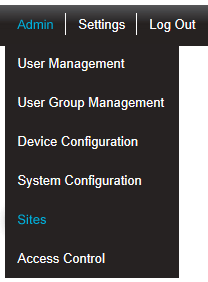
1.Select Admin>Sites from the right hand menu bar. See Figure 227 below:
Figure 227
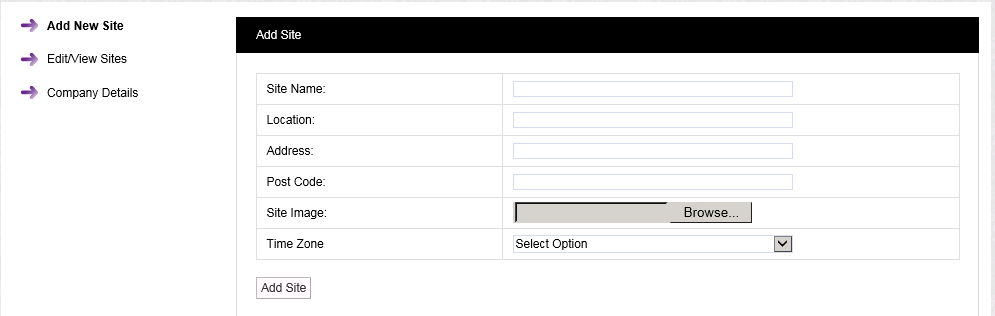
•After selecting Sites, the Add Site window is displayed. See Figure 228 below:
Figure 228
2.Add the following information to the respective fields in the Add Site window:
Enter a name for the Site. For example, this could be the name of the company. |
|
Enter the location. For example, this could be the town or city where the Site is located (not mandatory). |
|
This could be the Site address (not mandatory). |
|
This could be the Site post code (not mandatory). |
|
This could be a photograph or a graphic depicting the Site. Maximum image size is 30K. The best image formats are .pngs or. jpegs. |
|
Enter the Time Zone of the Site. |
3.When all details have been entered and are correct, click on the Add Site button.