
Contents
Device Configuration enables the setup and configuration of Synergy Services and Hardware Devices.
| Warning: | Changing Device Configuration settings will impact on system function, please proceed with caution. If in doubt, please contact your local supplier or IMC Support. |
To Access Device Configuration Settings
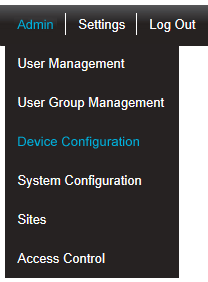
Select Admin then Device Configuration from the drop down menu, located at the right hand side of the top menu bar.
Figure 286
•After selecting Device Configuration the default Database Logger Service Details window is displayed. See Figure 287 below:
Figure 287
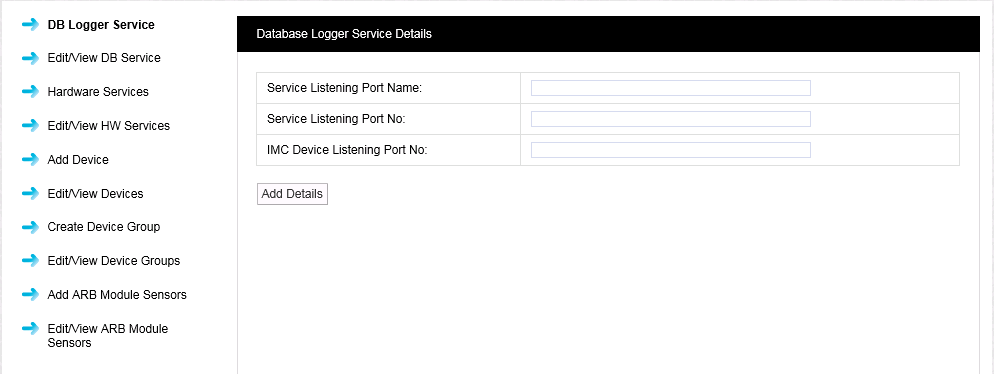
•The default Database Logger Service Details window shows details of the Ports associated with the Database Logger Service.
•From the left-hand menu you can access the following Device Configuration functions: